

The record forms as the day runs.
A few taps for each resident after each session: who came, how it felt for them and what sparked joy. Nobody writes it up later.
Capture what happened.
After each session, staff record a short register for every resident: mood before and after, how they engaged and what sparked joy.
Studio reads each register and plays its reading back to the team. Declined invitations count too, so the record shows who said no as well as who said yes. Where Studio is linked to your Digital Care Record, each finished register goes back into it as a care note.
A few taps, while it’s fresh.
- 01
Tap-through register
Mood before and after, engagement and joy, for each resident, in a few taps.
- 02
The Moments mobile app
Capture the moments that aren’t sessions, like a chat in the corridor.
- 03
Consent-managed photos
Photos are shared only where consent is in place.
- 04
Declined invitations, recorded
Who was invited and said no, recorded alongside who took part.
Registers, recorded while it’s fresh.
IN STUDIO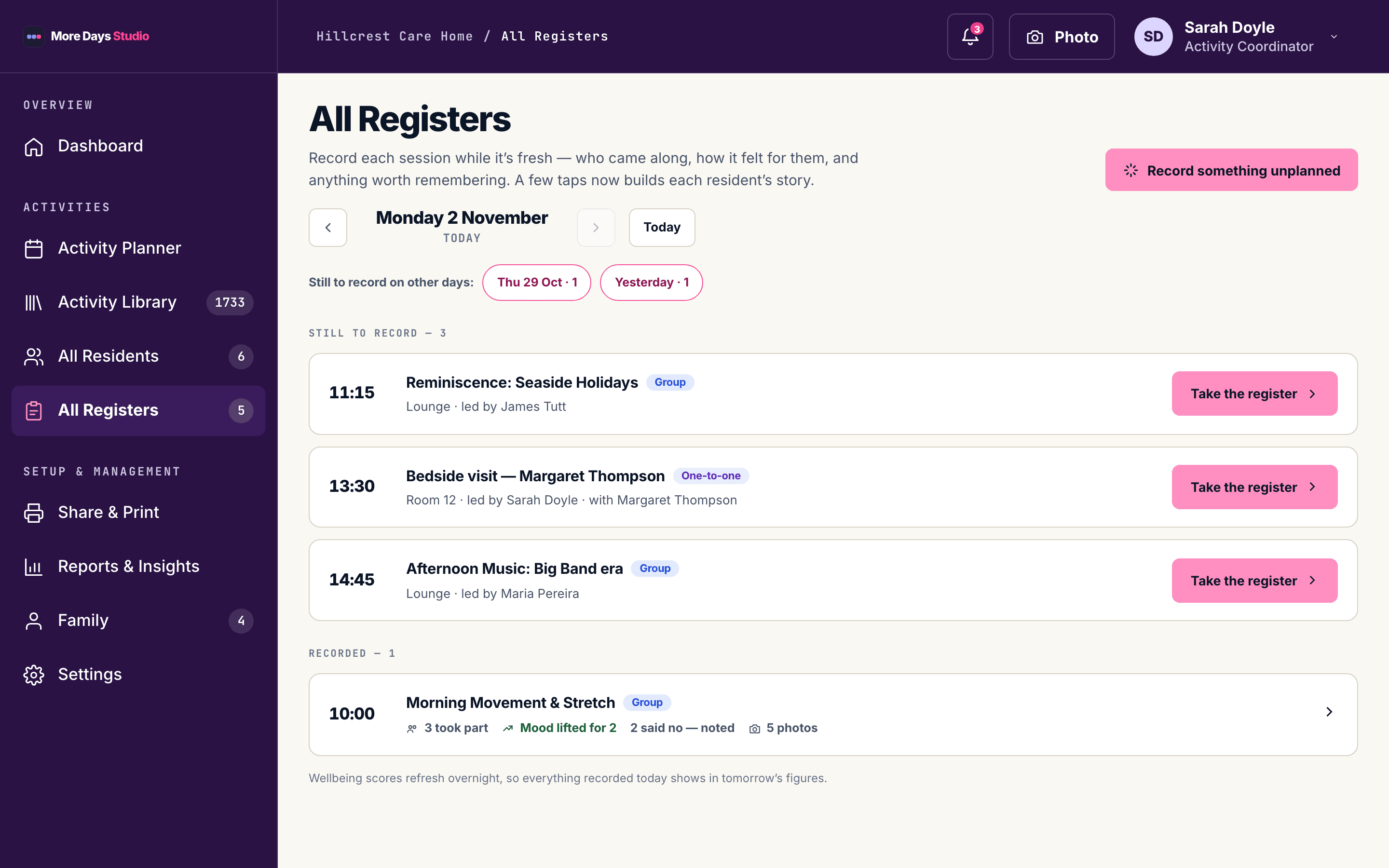
You can’t really record a quick chat with somebody in the corridor. Whereas this now allows you to do that.”
Every home counts its activities. Very few can say what they did.
Book a 30-minute walkthrough. Bring one of your homes in mind and we’ll show you what its Living Hours could show.